Challenge
Give people who record their dreams interpretations that fit their own lives, and make past dreams easy to look back on.
An AI dream journal that helps people record their dreams and understand them
Give people who record their dreams interpretations that fit their own lives, and make past dreams easy to look back on.
Many people are fascinated by the meanings of their dreams, seeing them as windows into the subconscious. By interpreting the symbols and emotions within a dream, we can gain deeper insight into our psychological state and underlying needs.
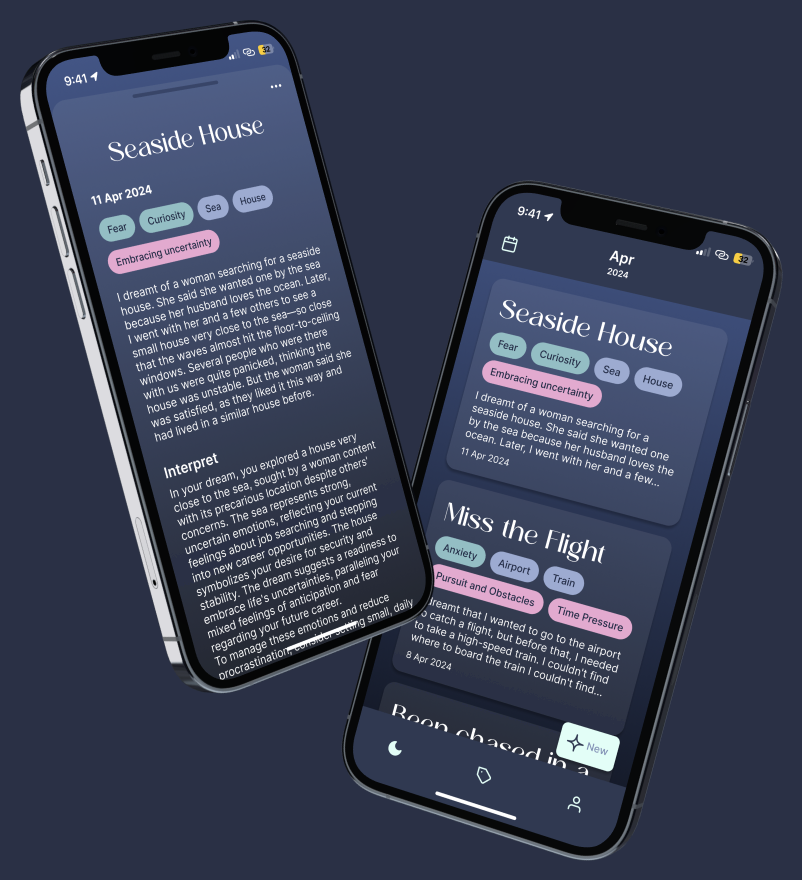
DreamCatcher uses AI to analyze dreams and helps users connect them with situations in their waking life, so that recording a dream becomes a way of understanding themselves.
After reviewing the literature and analyzing several existing dream apps, it became clear that while the meaning of a dream symbol depends heavily on culture and personal experience, most apps do not offer personalized interpretations to account for it.
I interviewed two people who regularly record their dreams to understand what they need: easier review and more personalized interpretations.

Strongly curious about the meanings of dreams
How do you find the AI interpretation software you use?
“I don’t always agree with the interpretations. I think ChatGPT is quite good: I point out where the analysis is wrong, and the corrected analysis is usually quite accurate.”
What could be improved?
“Sometimes the dreams are very detailed and there are a lot of interpretations, which I find inconvenient to organize. I also need a separate app to record them.”

Has recorded her dreams for about eight years
Do you often look back at the dreams you’ve recorded?
“I seldom look at them. My app lists them in chronological order, which makes it inconvenient to find older entries. I’m also worried about losing the data one day.”
Would you try AI for dream interpretation?
“I know the meanings of some basic symbols but haven’t gone deeper. I often have surreal dreams, so AI interpretations would certainly be convenient.”
DreamCatcher is designed to give personalized interpretations of dreams using AI, while making it easy to record them and review them later.
Every dream is tagged three ways, and each kind answers a different question. Together they are what makes a dream findable again, and what turns a pile of entries into something you can see patterns in. So the whole design rests on three kinds of tags:
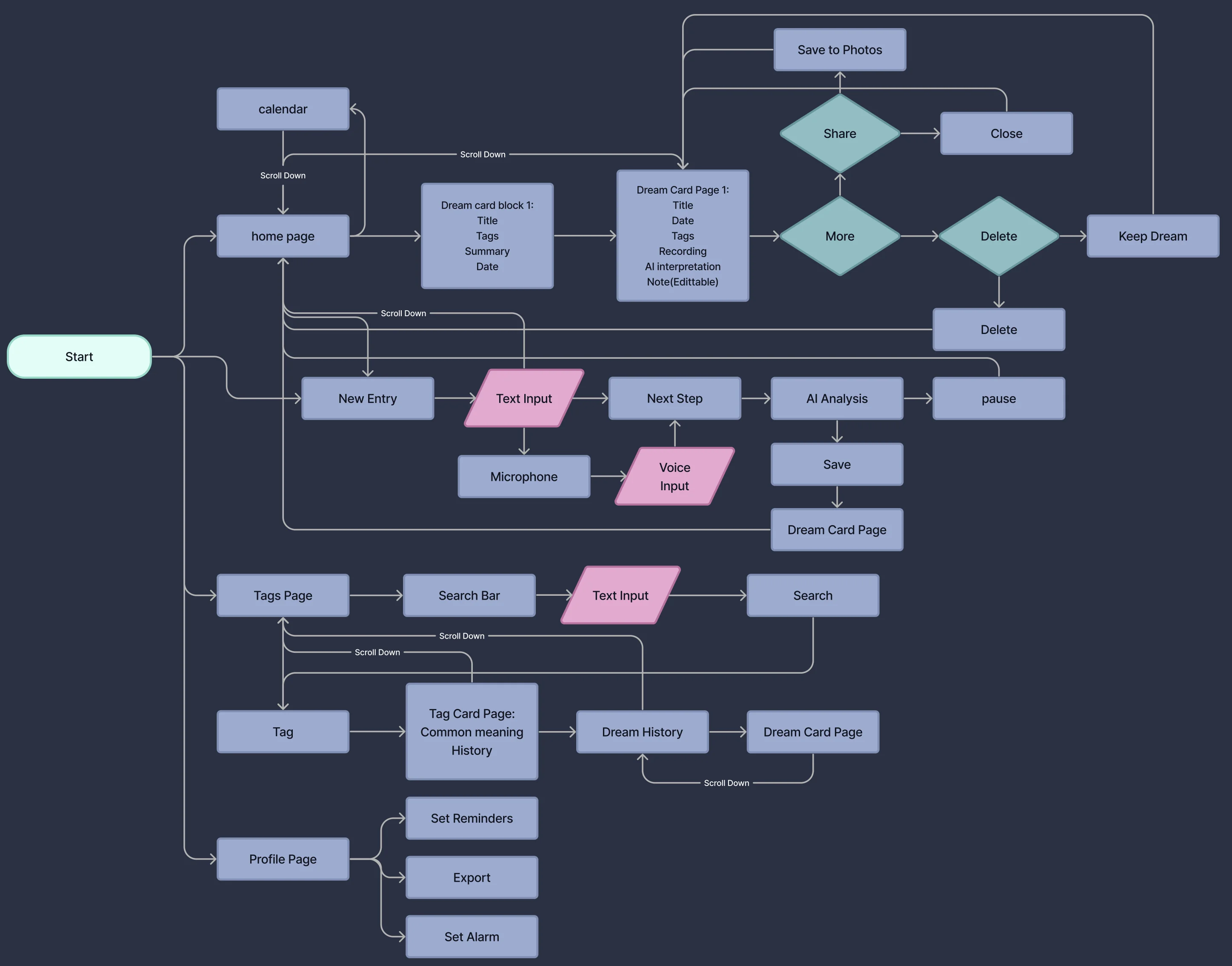
To serve both jobs, recording a new dream and reviewing past ones, I mapped a flow for each.
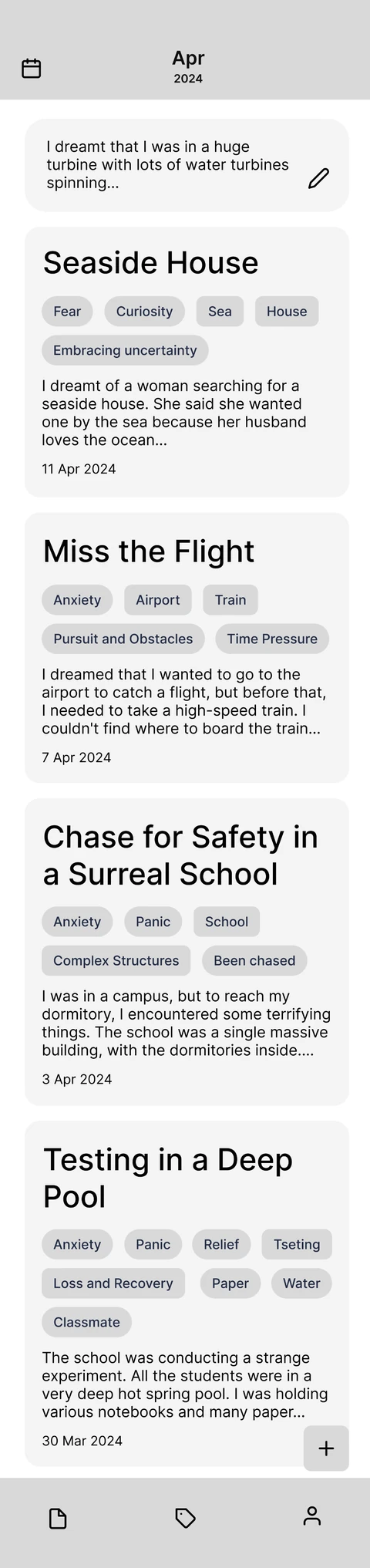
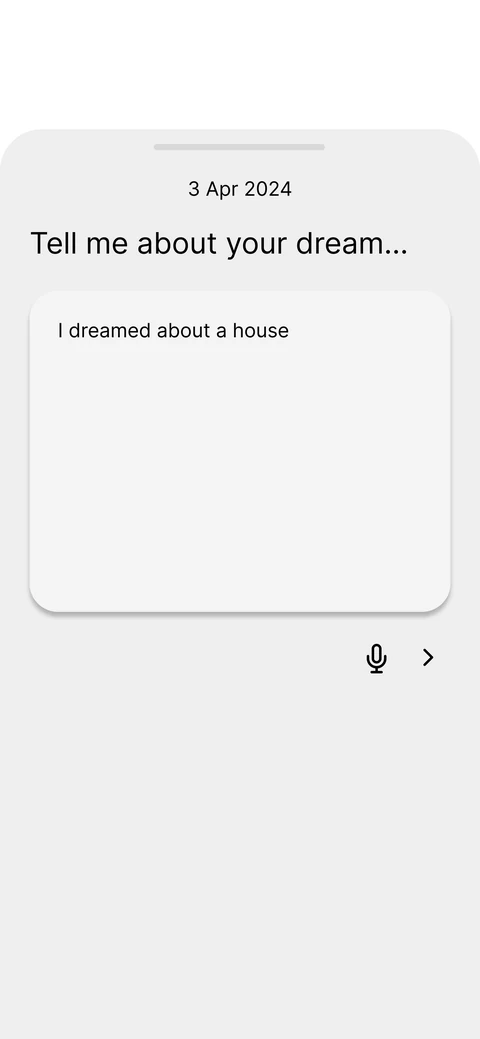
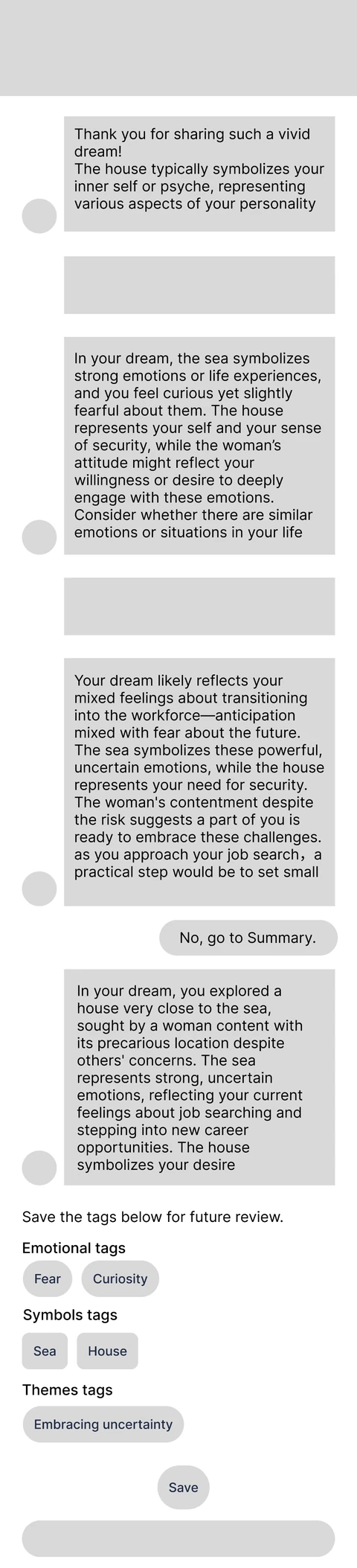
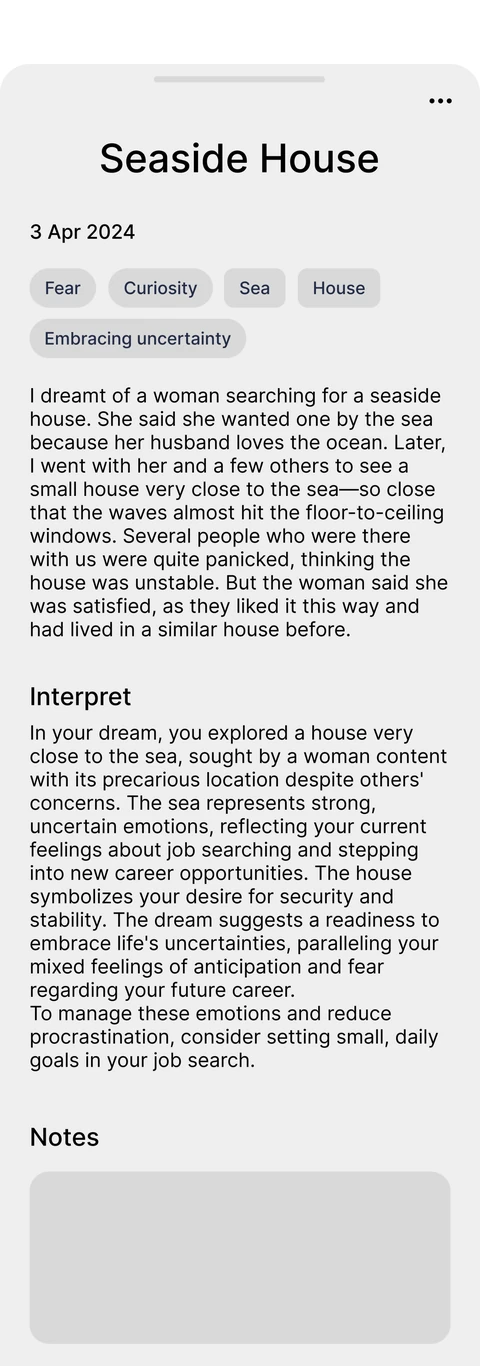
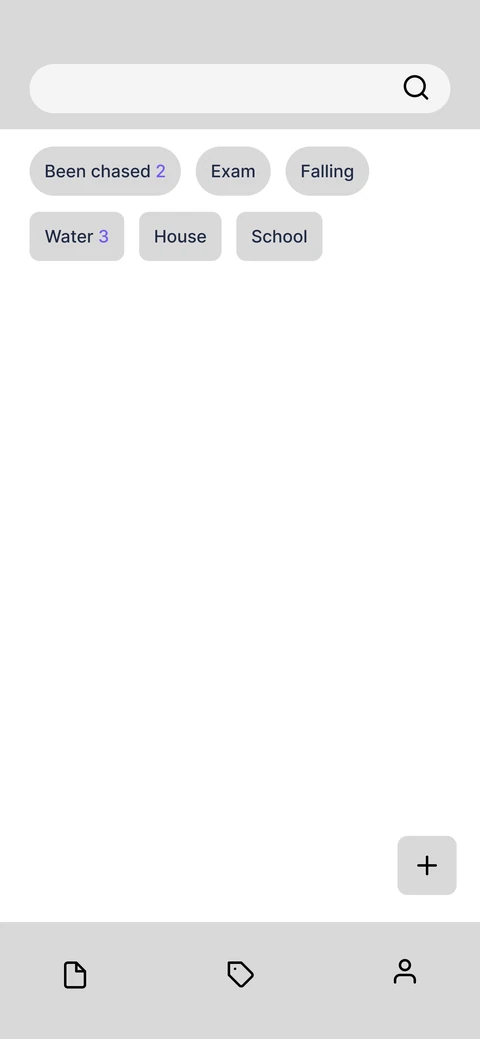
Low-fidelity layouts for the home page and calendar, a new entry, the AI dialogue, the dream card, and the tags pages.
The star-shaped logo stands for dreams, which usually come at night. It also reads as a plus sign, and doubles as the icon for recording a new dream.
The name comes from the traditional dream catcher: the app catches dreams and helps interpret them, the way the charm is said to protect and filter them.
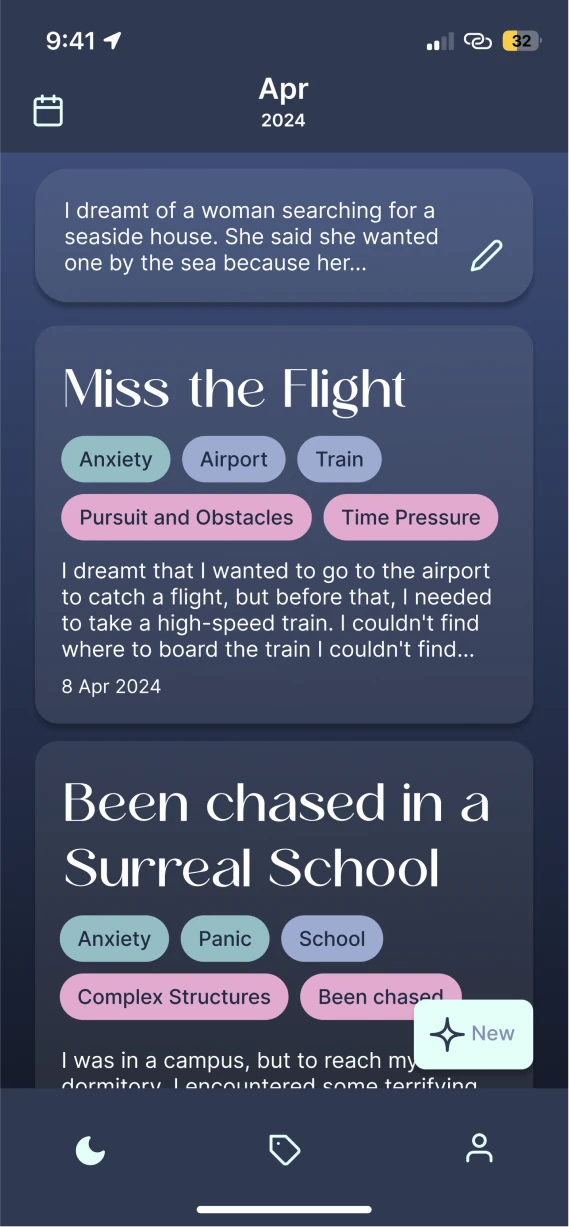
A new entry starts from the floating “New” button. After writing or dictating the dream, the user talks it through with the AI, keeps the tags it suggests, and gets a dream card to come back to.
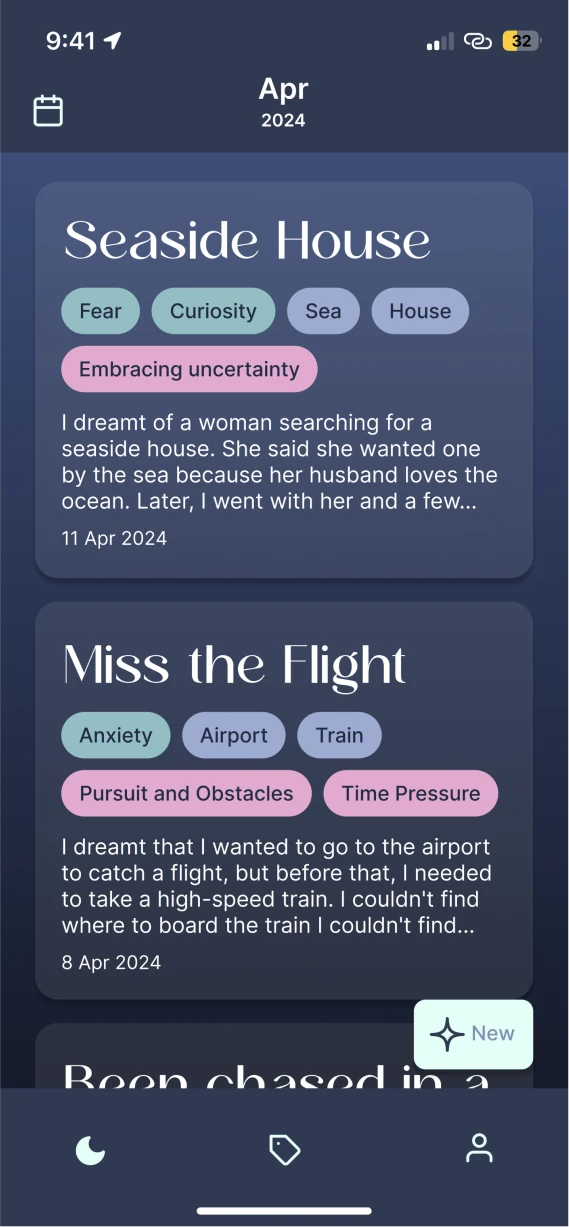
Tap the floating “New” button to start recording.
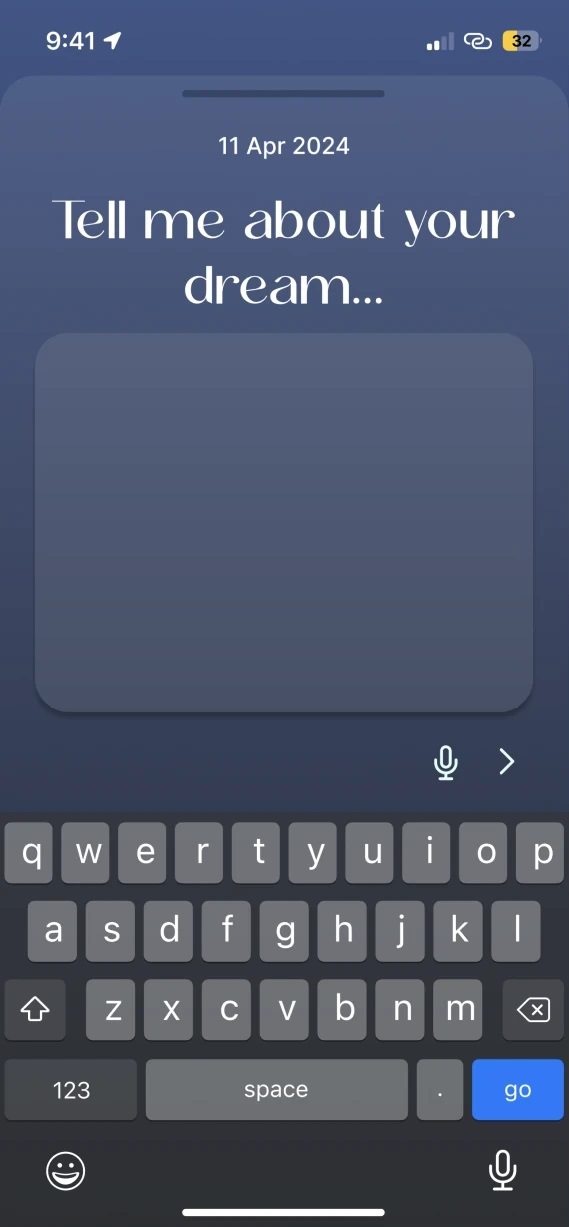
Tap the date bar to change the date.
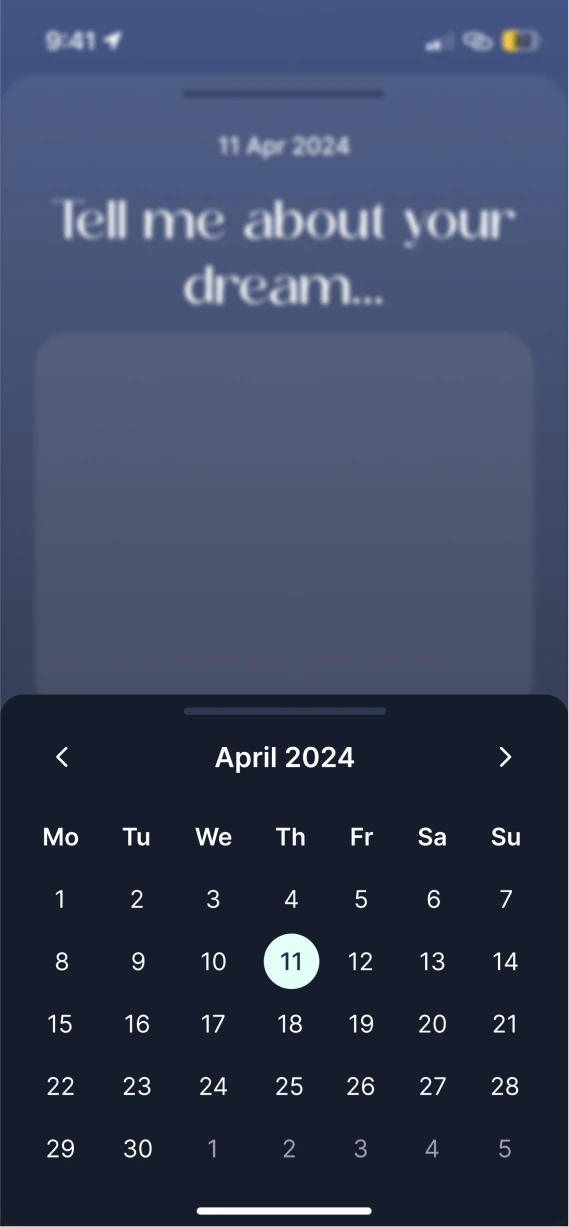
Pick the day the dream belongs to.
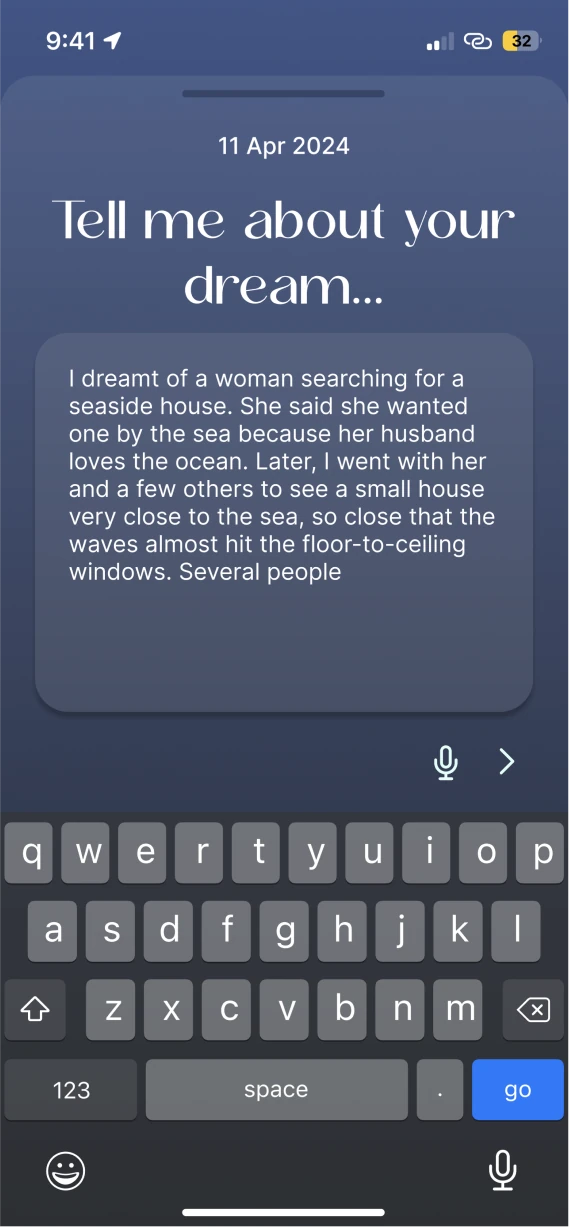
Type the dream, or tap the microphone to speak it. “Next” opens the AI dialogue.
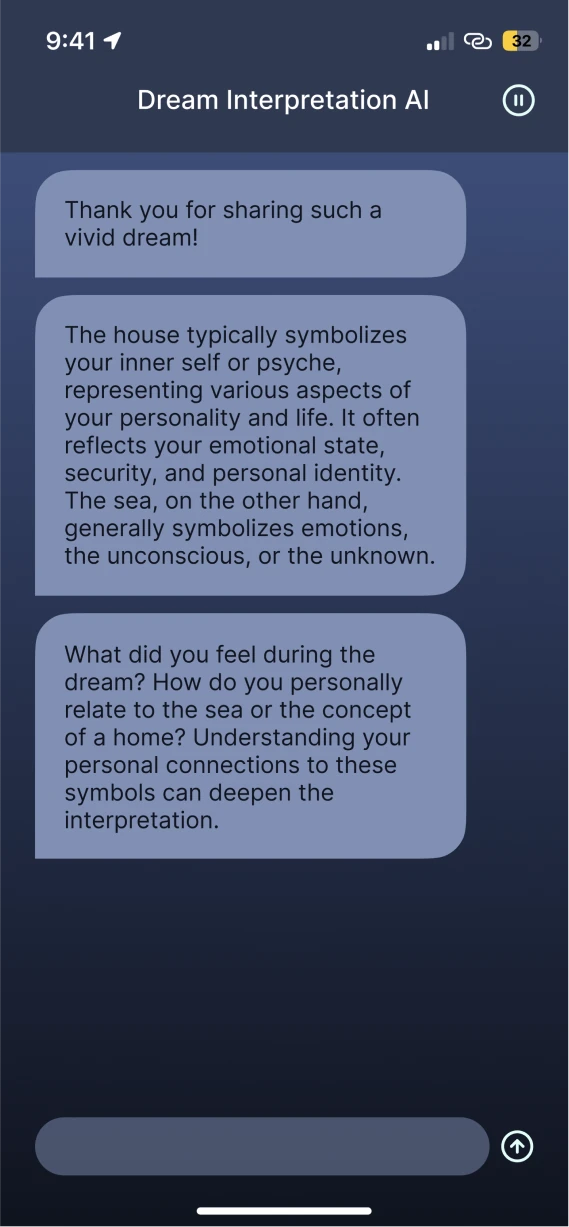
The AI gives a basic reading of the dream’s themes and symbols, then asks about details and feelings.
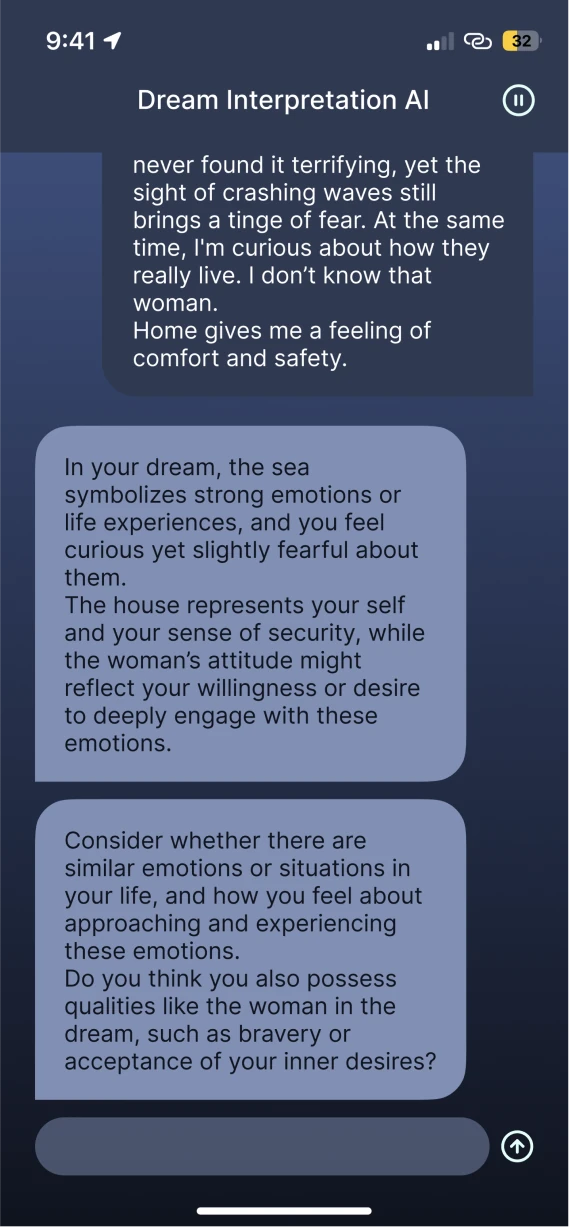
From the answers it goes deeper, and asks whether the dream connects to real life.
The pause icon returns home at any time; the draft waits at the top of the list.
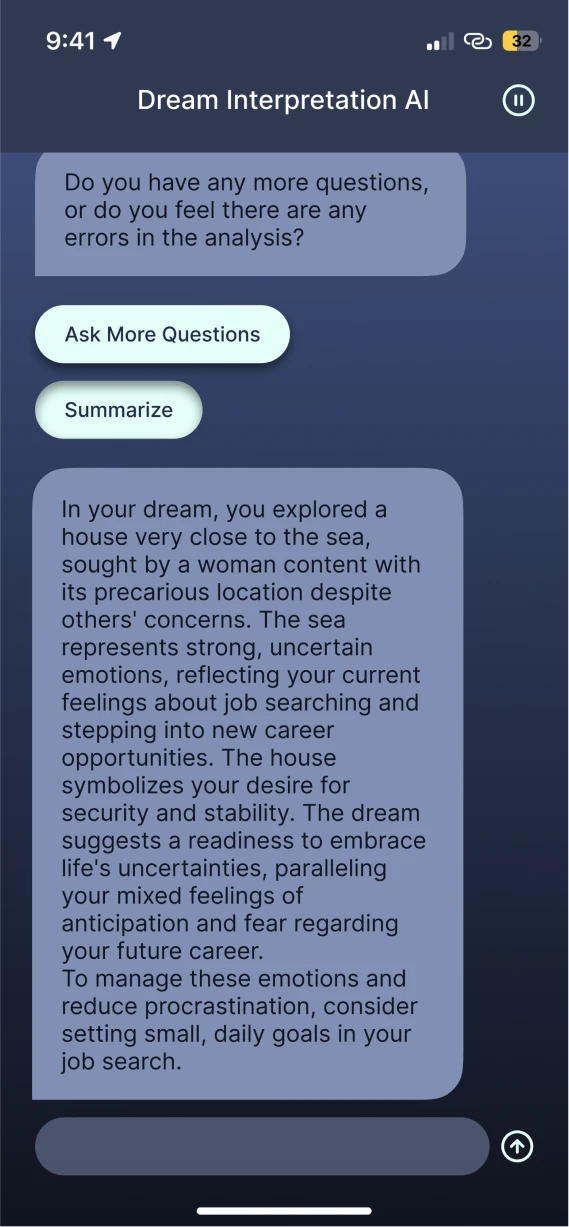
When the explanation ends, two buttons appear: summarize, or keep talking.
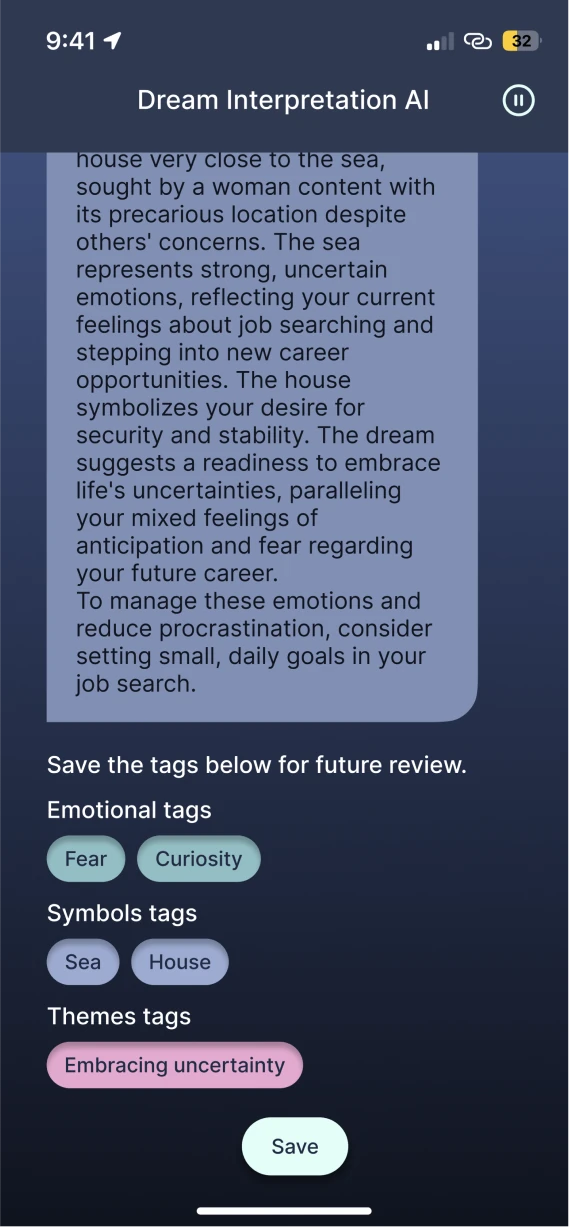
The summary comes with symbol, theme and emotion tags, all selected; the user deselects any they don’t want.
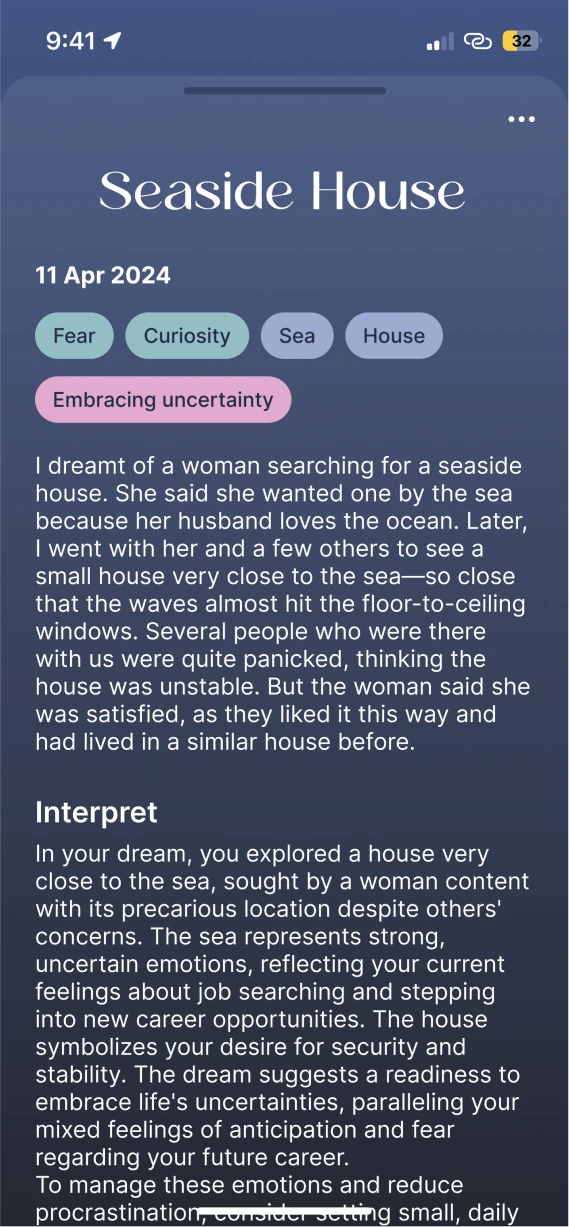
Saving creates a dream card with the dream, its tags, the interpretation and notes.
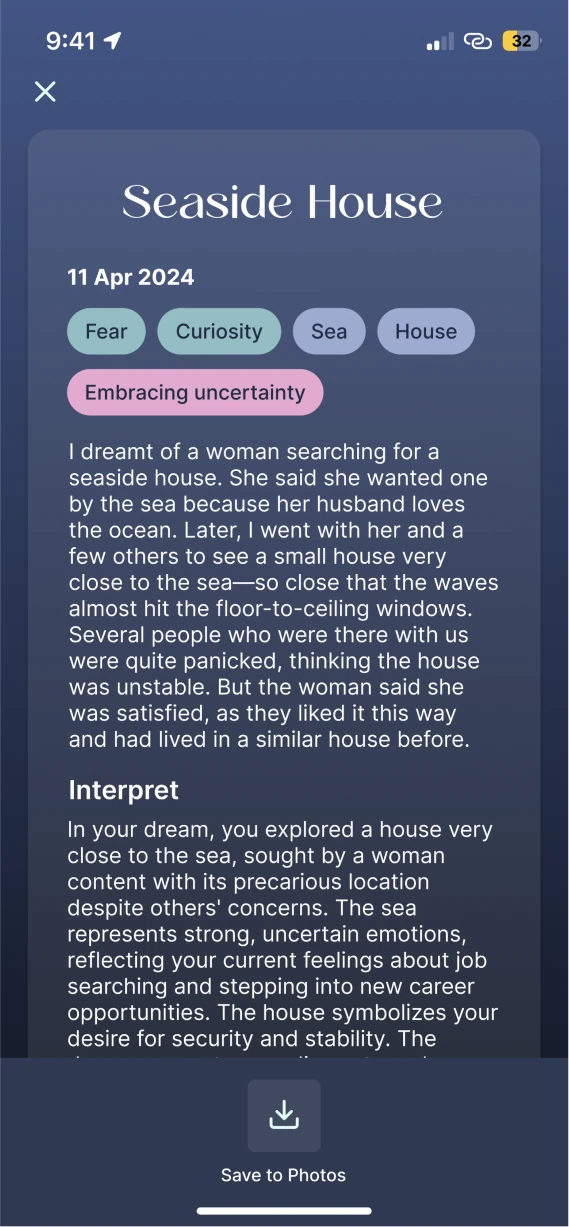
The export icon saves the card as an image.
Dreams can be found again by date, from the home page and its calendar, or by what they are about, from the tags.
The home page lists dream cards in date order; tapping one opens it in full.
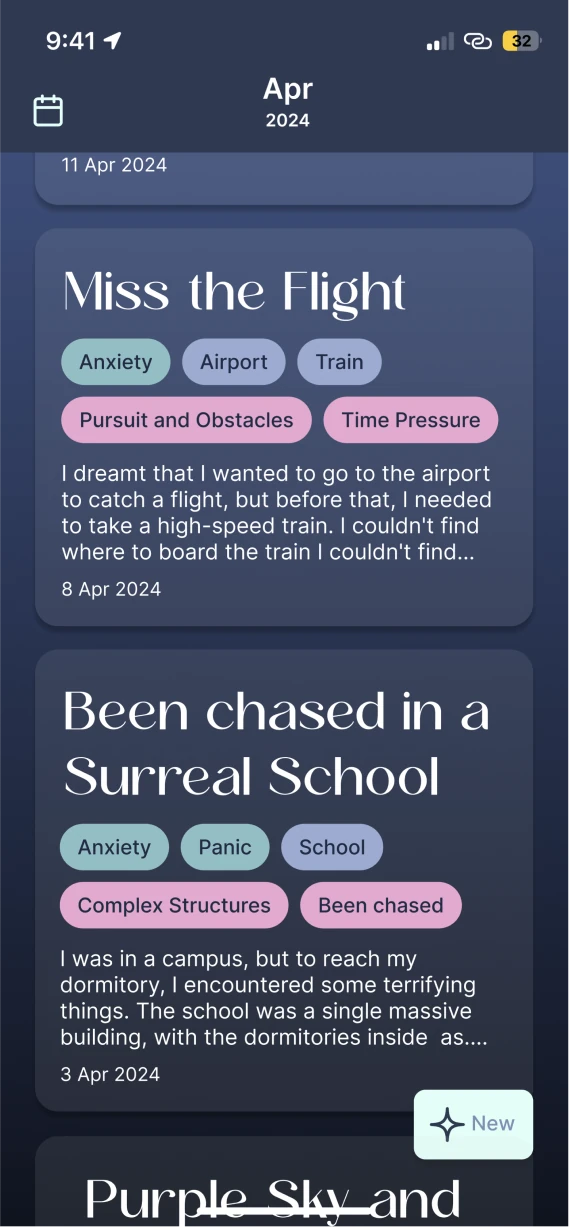
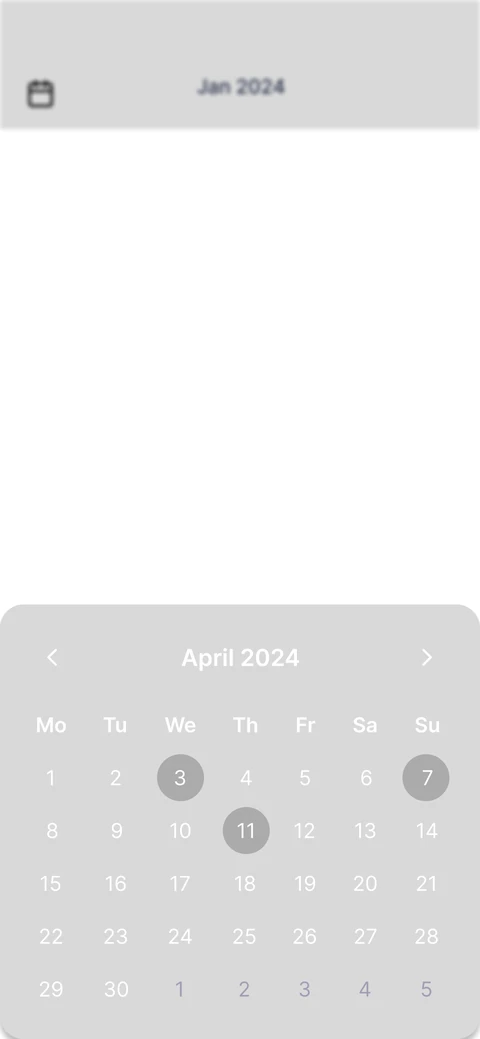
The calendar icon stays at the top left as the list scrolls.
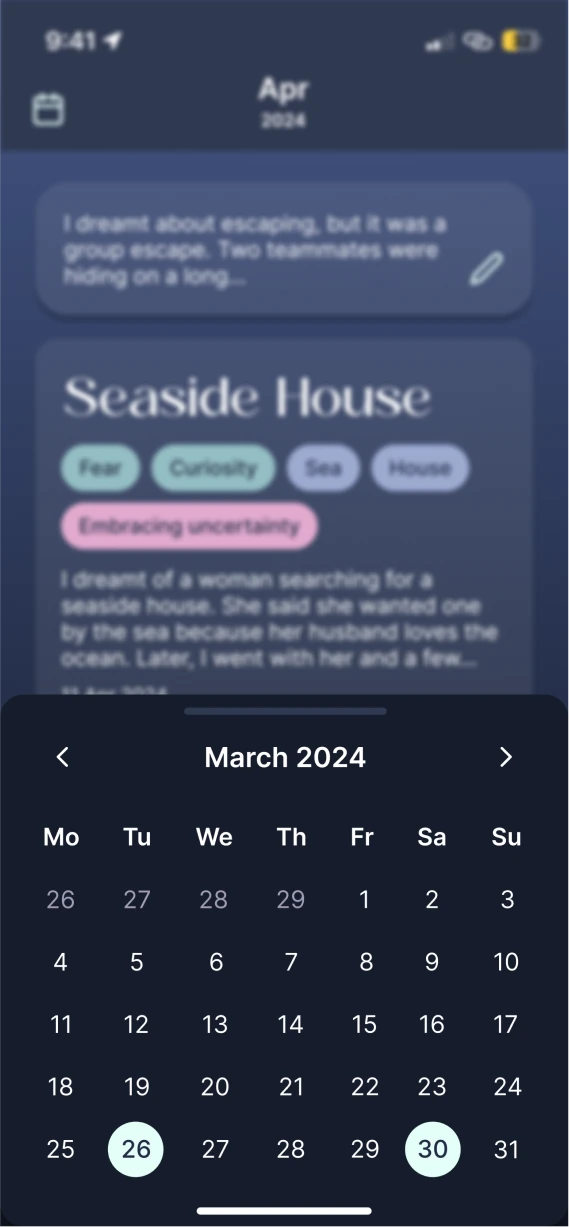
It opens the month at a glance, with the days a dream was recorded.
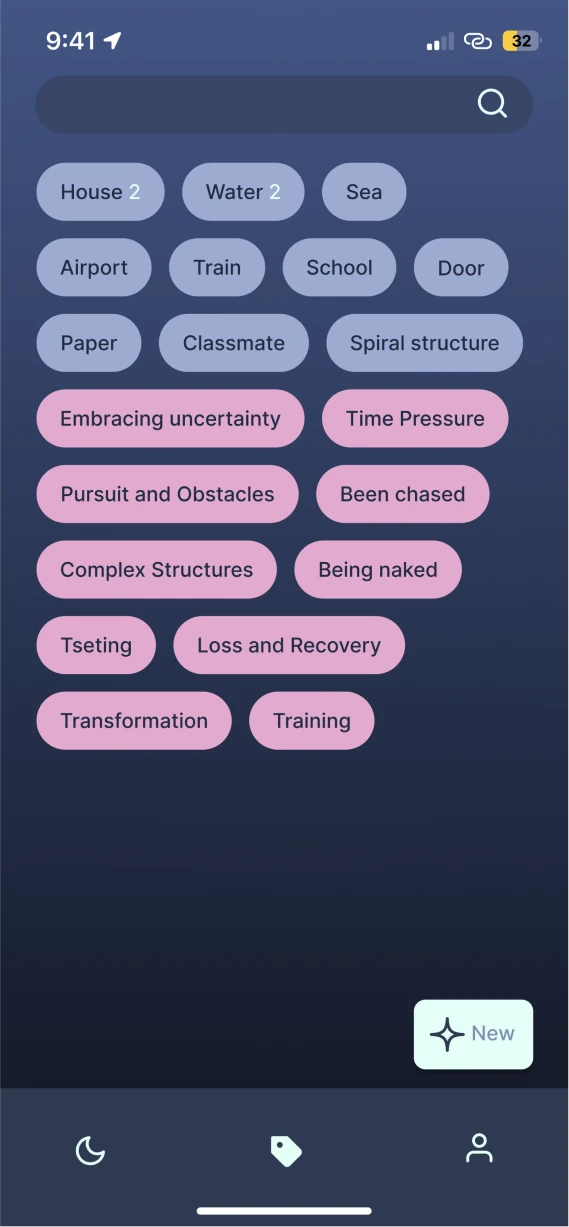
Every tag is kept on the tags page, ordered by how often it appears.
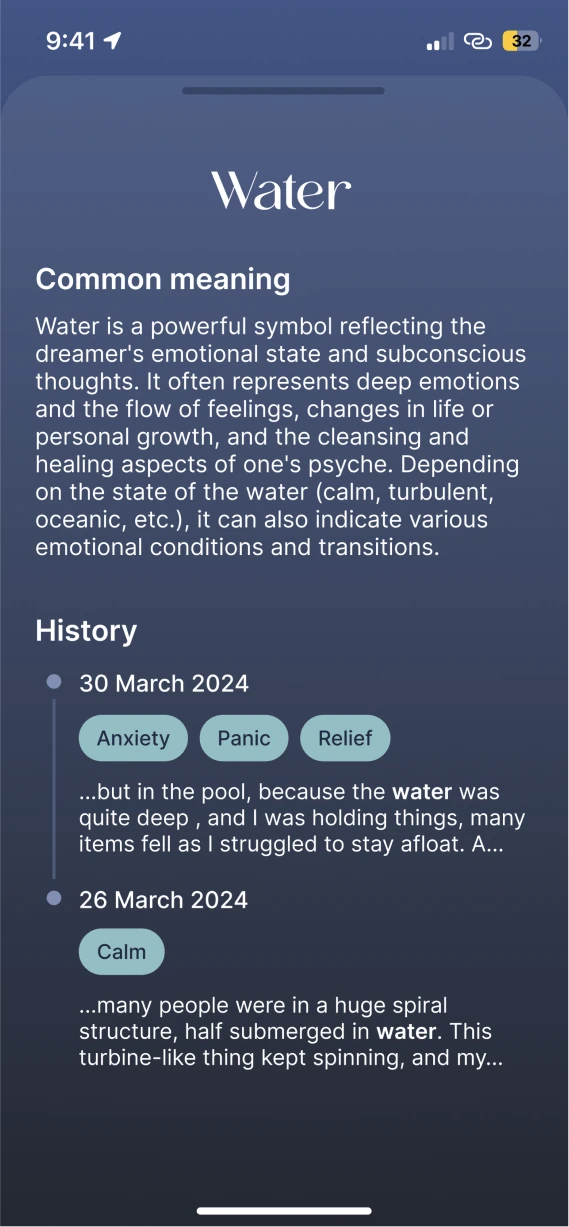
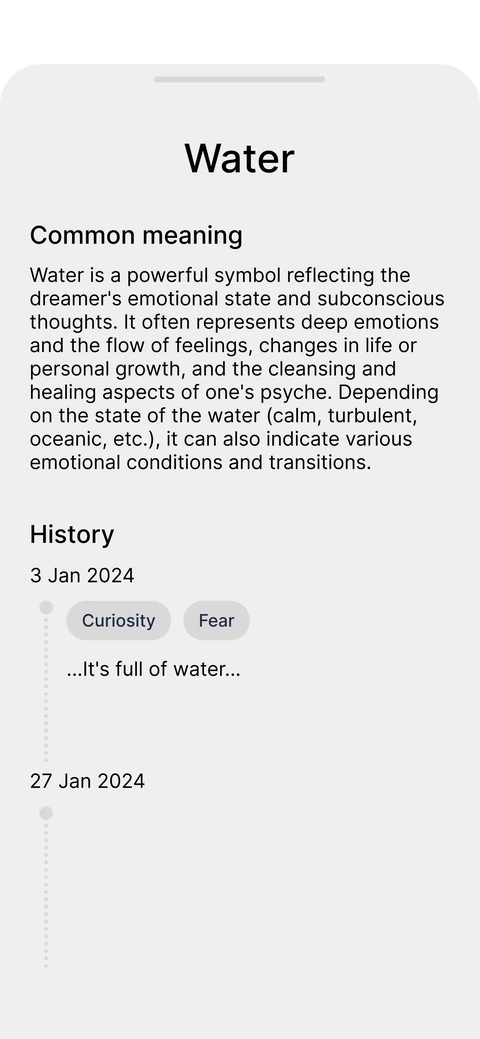
A tag page gives the symbol’s common meaning and every dream it appeared in; a snippet opens that dream card.
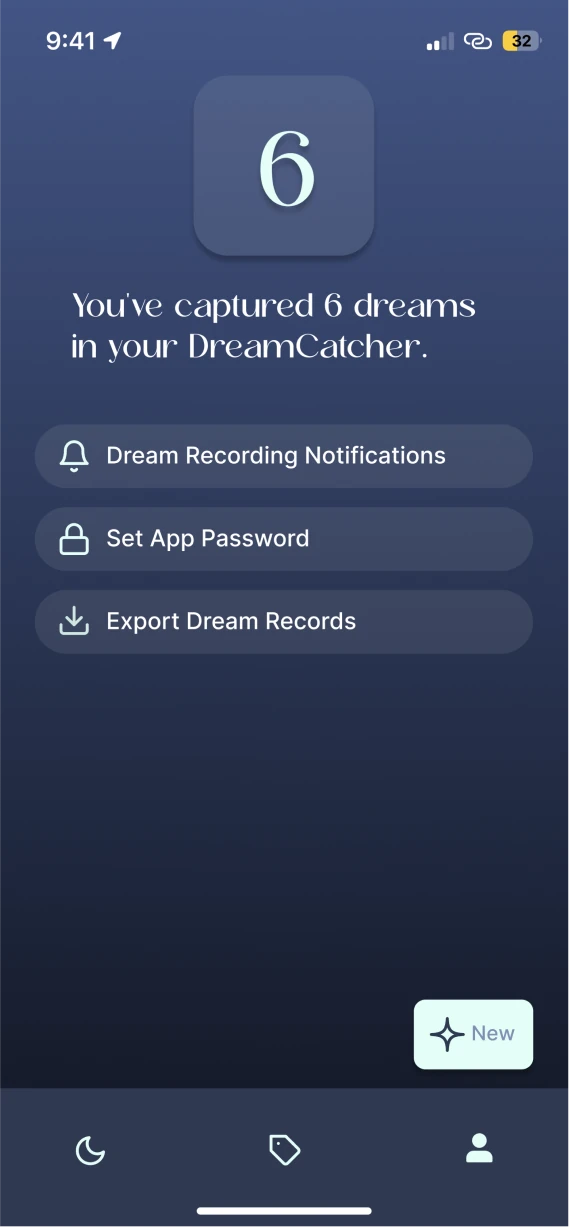
The profile shows how many dreams have been recorded.
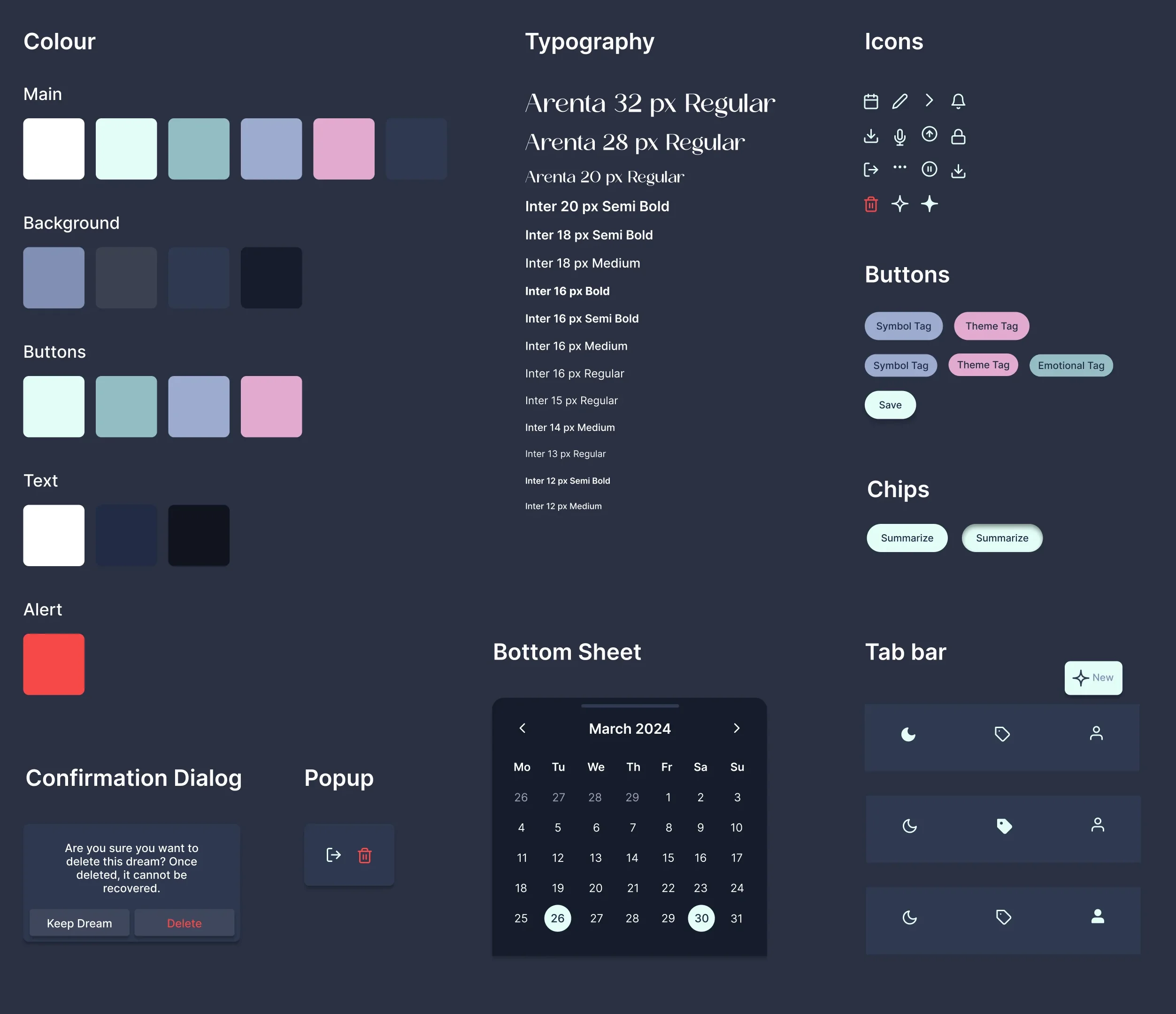
The color, type, icons, tags, buttons, sheets and dialogs behind every screen above.
I have kept recording my dreams since, and looked into the Hall & Van de Castle system. If I were to iterate, there are three things I would add.
The way the dreamer responds is the dimension that shows a personal pattern of behavior most clearly. For example, in the dream, am I active, passive, or looking on?
A person in a dream can be real or invented. The user could choose to open a profile for anyone who appears, and record the part they play each time, such as whether they support me or feel like a threat.
Recording dreams over time and talking them through with the AI, what I found most useful was it pointing out the patterns that kept coming back in my dreams. They are exactly the patterns of behavior in my waking life that I had not noticed.
Next in the file
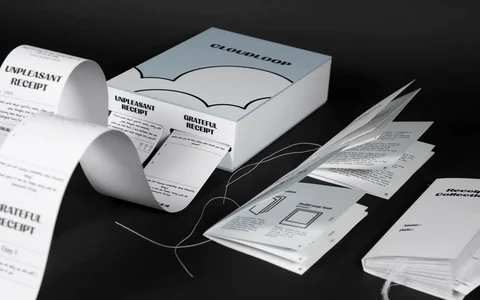
 Cloudloop
Aug 2023 — Dec 2023
A paper-based reflection toolkit designed to turn daily writing into a two-week habit, helping people name how they feel and decide what to do about it.
P-ID 0823 1223 · 03
Cloudloop
Aug 2023 — Dec 2023
A paper-based reflection toolkit designed to turn daily writing into a two-week habit, helping people name how they feel and decide what to do about it.
P-ID 0823 1223 · 03